Free
Process one video per task. Use all compression settings, check the result and keep the original. Ads may appear.
VIDEO COMPRESSOR FOR ANDROID
Choose a recording, set a target size or quality preset, and save a separate MP4 copy. Your original stays unchanged.
Start with one video free, with all compression settings. Optional Lifetime Pro adds batches of up to 10 videos and removes ads.
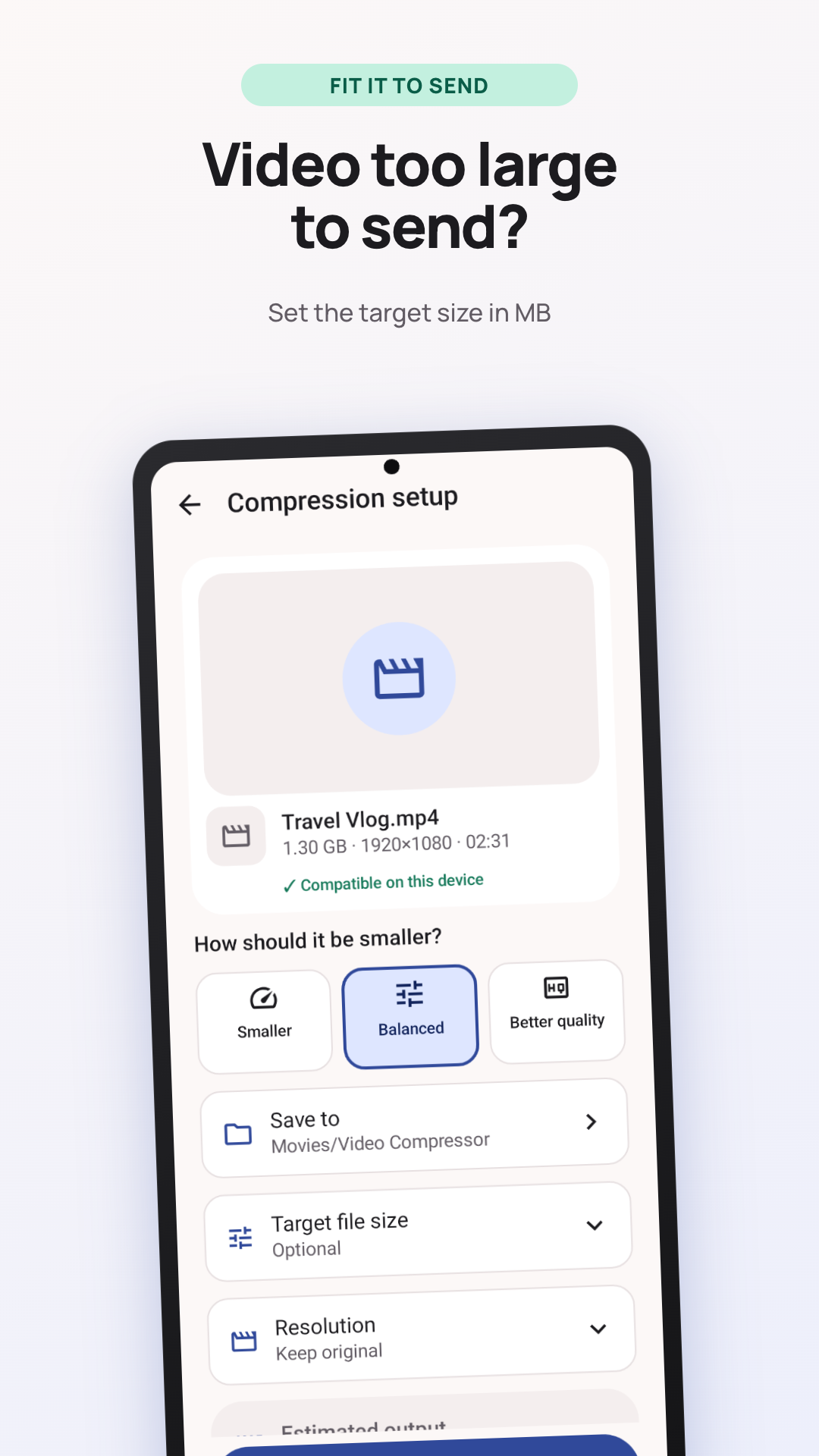
An email, message or upload form may reject a large video. Check that service's current file-size limit, then use Video Compressor to make a smaller copy on your phone. Leave some room below the limit and check the finished size before uploading.
A lower resolution or quality setting can reduce the file further, with a visible trade-off in detail. Play the result before sharing a recording that matters to you.
Select a recording on your phone, or share it to Video Compressor from another app.
Enter a target in MB, or choose Smaller, Balanced or Better Quality. Keep the original resolution or choose 1080p, 720p or 480p.
After compression, check the actual file size and play the result. Save the MP4 copy or share it with the app you need.
Process one video per task. Use all compression settings, check the result and keep the original. Ads may appear.
One purchase adds batches of up to 10 videos and removes ads. Videos run one after another; completed results remain available if a later item fails.
Yes. The free version processes one video per task, with all compression settings available. It may show ads. Lifetime Pro is an optional one-time purchase for batches of up to 10 videos and ad removal.
A target size is an estimate. Motion, duration, audio, resolution and your phone's encoder affect the finished size. Check the actual result before sending it. If it is still too large, try a lower target or resolution using the original video.
Compression runs on your Android device. Video content, frames, thumbnails, filenames and paths are not uploaded for processing. Ads, purchases and optional diagnostics may use the internet.
No. The app saves a separate result and leaves the original unchanged. Play the new copy and check its picture and sound before deciding which version to keep.
The Android app creates H.264 MP4 video. Whether a particular input can be processed depends on its codec and your device. It does not download videos from websites.
Install the Android app from Google Play and start with one recording.